Unlock Creative Freedom with 80+ Editable Templates
More Than Just Files: A Complete Creative System
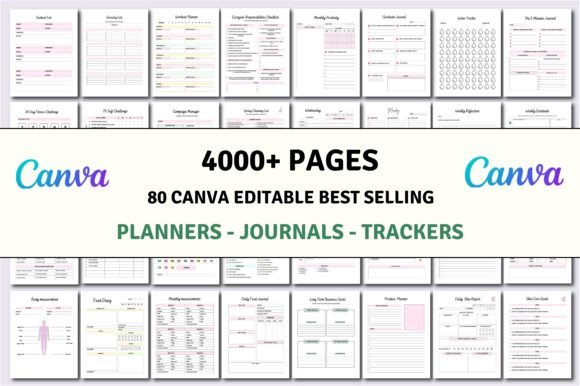
Let’s be honest. Starting a new project from a blank page is one of the biggest hurdles for any creator. Whether you’re a small business owner mapping out your next quarter, a blogger organizing your content calendar, or a designer helping a client launch a product, the initial setup is time-consuming. This is where a robust collection of templates changes the game. The 80+ Editable Templates | KDP Interiors package isn’t just a download; it’s a foundational toolkit. You receive over 4,000 pages of professionally designed interiors for planners, journals, trackers, and logbooks. The visual style leans towards clean, modern typography with a focus on usability. Think ample white space, logical grid layouts, and a neutral color palette that’s easy to customize. The personality is practical and adaptable, designed to serve as a canvas for your brand or personal style rather than imposing a rigid aesthetic. This makes it incredibly versatile for a wide range of projects.
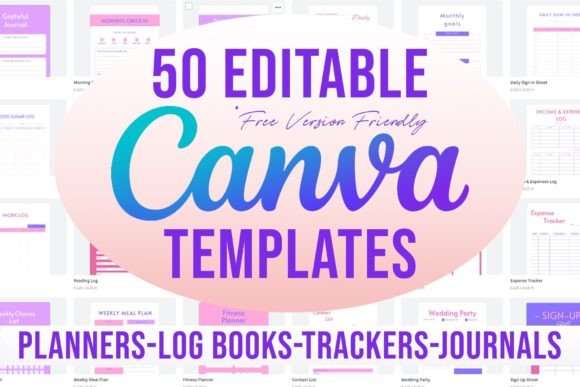
The true value lies in the delivery of high-quality print-ready PDF files alongside editable Canva links. This dual format is a practical masterstroke. The PDFs are ready for upload to platforms like Amazon KDP or for professional printing, ensuring crisp lines and proper margins. The Canva links, however, are where the real customization happens. Every element—from the typeface on a Daily Planner page to the checklist layout in a Social Media Planner—can be modified. You can adjust fonts to match your brand identity, change colors to fit a campaign, or add your logo. This transforms the collection from a static asset into a dynamic design resource. For entrepreneurs, this means creating a cohesive suite of materials, like a Business Planner that visually connects with their Marketing Planner and Product Launch Planner.
Practical Applications Across Industries
Imagine a life coach building their digital product empire. They can take the Law of Attraction Planner and Self Care Journal, customize the covers and interior pages with their brand’s script font and color scheme, and bundle them as a signature offering. A parenting blogger could adapt the Kids Chore Charts and Meal Planner into printable downloads for their audience, adding their website and a friendly sans serif font for readability. The specificity of the templates is a major strength. The ADHD Planner and Anxiety & Depression Workbook provide structured frameworks for sensitive topics, which creators can personalize with empathetic language and calming design elements. Similarly, the Garden Planner or Skincare Planner offers niche utility that generic templates miss.
For designers and agencies, this collection acts as a rapid prototyping toolkit. Need to mock up a Travel Planner for a client pitch? Start with the editable template, inject the client’s brand assets, and present a tangible concept in hours, not days. The 4000+ pages mean you’re not just getting one planner; you’re getting a library of interior page designs—tracker grids, journal prompts, budget sheets, and challenge logs. This is invaluable for creating design assets that are both functional and aesthetically consistent. You can test font pairings directly within Canva, seeing how a display font on the cover works with a serif font or modern sans serif font for body text across hundreds of pages. This hands-on testing is crucial for developing a strong visual hierarchy and ensuring readability in print and digital formats.
Maximizing Your Investment: Strategy and Execution
To get the most from the 80+ Editable Templates | KDP Interiors, approach it with a strategy. First, audit your needs. Are you creating products to sell, organizing your own life, or building assets for client work? The Podcast Planner and Shopify Store Planner are perfect for digital entrepreneurs, while the Debt Tracker and Budget & Financial Planner have universal personal appeal. Second, use the Canva editor to establish a style guide before diving into every template. Set your brand’s primary and secondary colors, choose your two or three go-to typefaces (e.g., a premium font for headings and a clean creative font for notes), and create a simple logo lockup. Applying this guide consistently across the Event Planner, Social Media Planner, and Business Planner will build instant brand recognition and professionalism.
Third, think about the end user’s experience. A 75 Soft Challenge journal should feel inspiring and manageable. A Depression Therapy Journal requires a tone that is supportive and private. Adjusting the language, prompts, and even the spacing on the page can dramatically influence the audience engagement and perceived value. Finally, always test your final PDF. Check that text is legible, that interactive elements (if any) work, and that the design translates from screen to print. This collection eliminates the grunt work of building interiors from scratch, freeing you to focus on the unique value you bring—whether that’s your content, your brand’s voice, or your client’s vision. It’s a practical foundation for turning organized ideas into polished, professional products.