50 Editable Canva Templates for KDP: Your Complete 6x9 Planner System
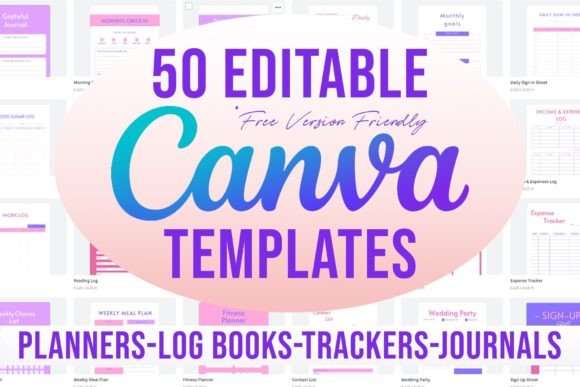
If you've ever stared at a blank page wondering how to create a professional-looking planner, journal, or organizational sheet for Amazon KDP, you know the frustration. The design software learning curve. The sizing headaches. The bleed settings that never seem to work right. That's exactly why this collection of 50 editable Canva templates in 6x9 format exists — to remove every barrier between your idea and a finished, publishable product.
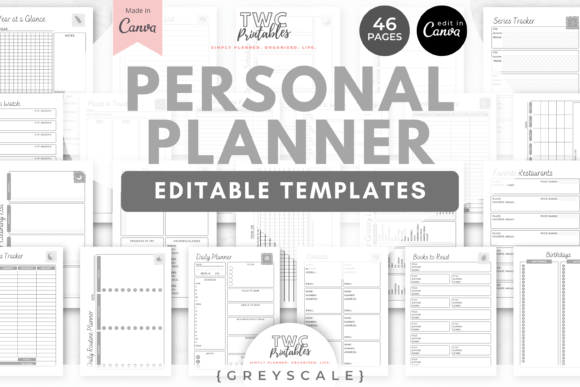
These aren't just random templates thrown together. Each one is built specifically for Kindle Direct Publishing's 6x9 trim size with proper bleed margins already set. You open the link, make a copy, customize the text and colors, and you're essentially done. No premium Canva subscription required. No hidden elements that suddenly lock when you try to export. Just clean, functional templates ready for your personal touch.
What's Actually Inside This Collection
Let's talk specifics. The collection covers a genuinely useful range of organizational tools that people actually search for and purchase. You're getting planners, trackers, logs, and organizational sheets that serve real purposes in people's daily lives.
The list breaks down into several categories worth exploring:
- Daily and Weekly Planning: Daily Planner, Daily Schedule, Weekly Planner (two variations), Daily Personal Planner, and Work Schedule templates give you options for different planning styles and audiences.
- Financial Tracking: Savings Tracker, Expense Tracker, Budget Tracker, and Income & Expenses Log templates appeal to the massive audience of people trying to get their money organized.
- Health and Wellness: Fitness Planner, Medication Log, Blood Sugar Log, and Emotions Log templates serve specific health-conscious niches with dedicated audiences.
- Home and Life Management: Weekly Meal Plan, Grocery List, Weekly Chores List, Plant Tracker, and Password Tracker cover everyday organizational needs.
- Business and Professional: Meeting Notes, Work Log, Work Time Log, Order Form, Contact List, and Sign Up sheets serve entrepreneurs and small business owners.
- Personal Growth: Daily Journal, Daily Gratitude, Habit Tracker, Monthly Goals, and Reading Log templates tap into the self-improvement market.
- Special Events: Wedding Contacts and Wedding Party templates serve the wedding planning niche specifically.
- Social Media: Follower Tracker template acknowledges the reality that many creators need to monitor their online growth.
- Calendar: The 12 Months Calendar template provides a year-at-a-glance overview that complements the more detailed planning sheets.
Each template uses the 6x9 dimension, which has become a standard for KDP planners and journals. This size feels substantial in hand without being bulky, fits easily into bags and purses, and meets Amazon's printing specifications without requiring special adjustments.
How These Templates Actually Work in Canva
The process is straightforward, and that's intentional. The PDF file included with your purchase contains a clickable list of all 50 templates. You click the one you want, it opens directly in Canva, and here's the critical step — make a copy immediately. Duplicate the document into your own Canva account before making any changes. This preserves the original and gives you full editing freedom.
Once copied, you have complete control. Change colors to match your brand or personal preference. Swap fonts if you want a different personality. Adjust text, add your own content, rearrange elements. The templates are designed as starting points, not rigid structures.
Because no premium elements are used, everything works with a free Canva account. This matters more than people realize. Many template collections advertise as editable but sneak in Pro elements that suddenly require a subscription to unlock. These templates avoid that frustration entirely. What you see is genuinely what you get — and what you can actually edit and export.
Why 6x9 Format Matters for KDP Publishing
The 6x9 size isn't arbitrary. It's one of the most popular trim sizes on Amazon KDP for planners, journals, and organizational books. It strikes a practical balance — large enough to write in comfortably, small enough to remain portable. When you publish a 6x9 planner through KDP, you're working within a proven format that readers expect and appreciate.
The bleed settings included in these templates handle one of the most common technical headaches in self-publishing. Bleed refers to the extra margin around your design that ensures no white edges appear after trimming. Getting this wrong means your printed books look amateur, with inconsistent borders or accidental white slivers. These templates have bleed already configured correctly, so you can focus on content rather than technical specifications.
Real Applications for Different Creators
For KDP publishers, this collection represents an entire product line waiting to happen. You could publish individual planners — a dedicated fitness planner, a meal planning journal, a financial tracker — or combine several into a comprehensive life organizer. The variety means you can target different niches without starting from scratch each time.
For small business owners, templates like the Order Form, Meeting Notes, Contact List, and Sign Up Sheet have immediate practical value. Use them digitally within your team or print them for in-person operations. A cleaning business might use the Weekly Chores List as a client-facing document. A fitness coach could customize the Fitness Planner for their specific methodology.
For content creators and bloggers, the Follower Tracker, Daily Schedule, and Content Calendar-adjacent templates help manage the behind-the-scenes work that audiences never see but creators absolutely need.
For personal use, sometimes you just want a nicely designed planner without buying a finished product that's 80% irrelevant to your life. Customize the Daily Personal Planner with your actual routines. Build a Password Tracker that fits your organizational system. Create a Reading Log that tracks what matters to you specifically.
Design Flexibility Without the Complexity
These templates use clean, readable layouts that prioritize function. The visual style leans toward modern simplicity — enough design interest to look professional, restrained enough to avoid distracting from the actual content. This approach works across audiences. A minimal aesthetic appeals to people who want calm, organized spaces. It also photographs well if you're selling planners on Etsy or showcasing them on social media.
The typography choices within the templates maintain good readability at print size. Since these are editable Canva templates, you can experiment with different typeface combinations if you prefer a different visual personality. Pair a serif font for headers with a sans serif body text for a classic editorial feel, or go all sans serif for a contemporary, clean appearance. The layouts accommodate these changes gracefully.
Color customization is equally flexible. The templates use a cohesive palette as default, but nothing prevents you from developing your own color scheme. This is particularly valuable for KDP publishers building a recognizable brand across multiple titles or for businesses matching templates to existing brand guidelines.
Getting the Most From Your Template Investment
Start by browsing all 50 options before committing to customization. Understanding the full scope helps you plan strategically. Maybe you'll create a series of related planners. Perhaps you'll identify gaps in the market that these templates can fill with minor modifications.
When customizing, consider your end user carefully. A daily planner for busy parents looks different from one targeting corporate professionals, even with identical functionality. Adjust language, add or remove sections, and modify the visual weight of different elements based on who will actually use the finished product.
Test your finished designs by printing a single copy before committing to a larger print run or KDP upload. Check that text is readable, that spacing feels comfortable for writing, and that the overall layout flows naturally when you're actually using it in real life — not just viewing it on screen.
This collection of 50 editable Canva templates in 6x9 format removes the technical barriers that stop many people from creating professional planners, journals, and organizational tools. The templates work, the format is proven, and the editing process is genuinely accessible. What you build from here depends entirely on your goals, your audience, and the organizational problems you want to solve.